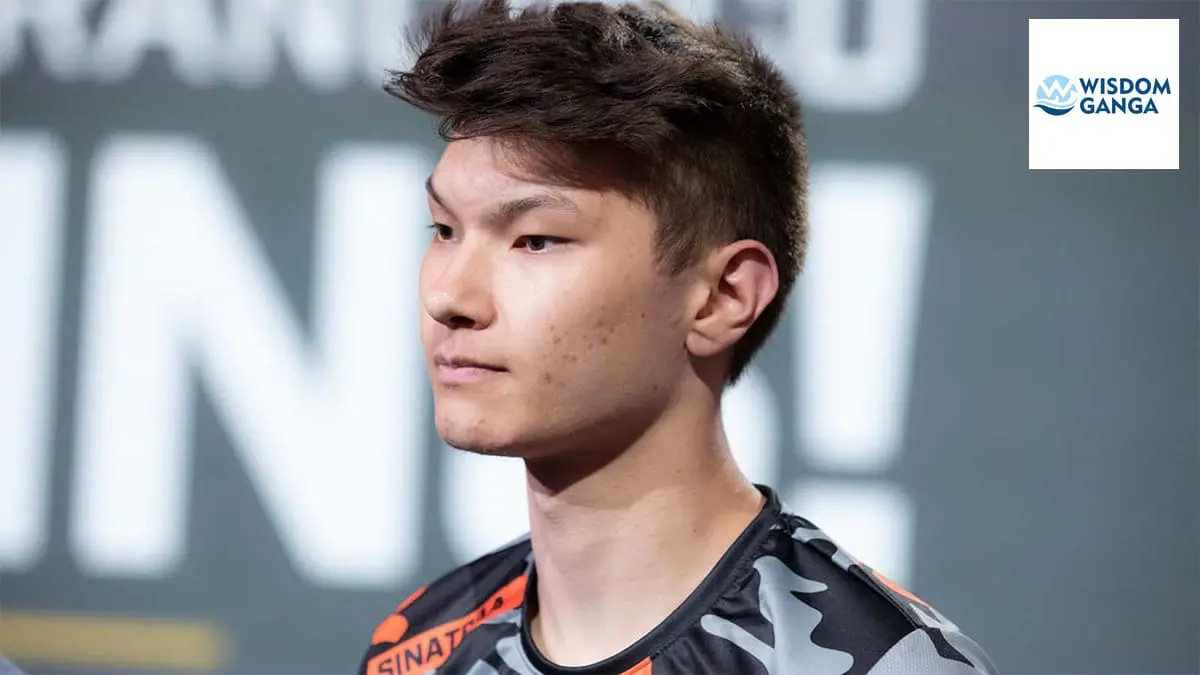
Sinatraa Valorant Settings 2023: The Missing Piece to Your Competitive Puzzle
If you are looking for Sinatraa Valorant Settings 2023, then you have landed in the right place.
In this article we will provide you with all the latest Sinatraa Valorant Settings from his Crosshair, Mouse Sensitivity, Video Settings, Gear, Keybinds, PC & Setup.
Jay Sinatraa Won, is a professional Valorant player who is currently signed to Untamable Beasts. He is known for his aggressive playstyle and high aim skill.
Sinatraa started playing Valorant in 2020 in the game’s early phases and has been playing Valorant competitively since then.
Prior to his professional VALORANT career, sinatraa was a professional Overwatch player. He is one of the most decorated Overwatch players in the game’s history, and was named MVP of the Overwatch League in 2019.
He has achieved many other accolades such as winning the Overwatch League with San Francisco Shock and winning the World Cup with Team USA in 2019.
He was one of the game’s superstars. His decision to switch to VALORANT came as a surprise as he made the move at the peak of his Overwatch career. He immediately signed with Sentinels upon switching.
Sinatraa also has a twitch account where he streams Valorant and has over 1.8m followers, and his channel name is Sinatraa.
Many fans and players are interested in what sensitivity Sinatraa uses in Valorant, from his mouse sensitivity to what mouse Sinatraa and all the other sinatraa valorant settings use and many other details.
We have provided the latest information related to Sinatraa Valorant Settings. And you can apply these Sinatraa Valorant Settings in your game.
Sinatraa Socials
Checkout More Valorant Players Settings: Valorant Settings 2023
Join our Discord community for more Awesome Gaming Content and to Meet and Interact with other Mind-Like Gamers across the World
Sinatraa Valorant settings 2023
Sinatraa, professional Valorant player for Untamed Beasts, is known for his aggressive playstyle and high aim skill. He has been playing Valorant competitively since the game’s early phases in 2020. Fans and players alike are eager to learn about his settings in order to improve their own gameplay.
In this article, we will provide the latest information on Sinatraa’s Valorant settings for the year 2023, including his mouse sensitivity, crosshair, video settings, gear, keybinds, and PC setup. By studying and applying these settings, you can gain a competitive edge in the game and take your gameplay to the next level, just like Sinatraa.
Sinatraa Mouse Sensitivity
Before jumping to Sinatraa Valorant Settings let’s understand what you should keep in mind while choosing a sensitivity in-game.
sensitivity is the distance you move your mouse on your mousepad to complete a distance in whatever game you are playing.
HIGH SENSITIVITY – Too much sensitivity will cause you to lose the precision of aim, causing you to lose many gunfights in Valorant and preventing you from properly aiming at distant targets.
LOW SENSITIVITY – If your sensitivity is too low, you will be unable to move your mouse to aim at targets properly. It will be very difficult to compete in close combat situations, and you will need a big mousepad to be able to complete the distances in the game properly, which will also be not enough if you have a low sense.
So, you should always have to choose a sensitivity that is not too high for you and not too low for you. Find a BALANCED SENSITIVITY and you will be all good in FPS games. One thing also, after finding the sensitivity that suits you, is to stick with it as it will not help your muscle memory.
This is the latest Sinatraa Valorant Settings including mouse sensitivity in 2023 you can copy to your game.
- Mouse DPI – 800
- Mouse Sensitivity – 0.387
- Mouse eDPI – 309.6
- Mouse Hz – 1000
- Scoped Sensitivity – 1
- Windows Sensitivity – 6
- Raw Input Buffer – On
Sinatraa Keybind Settings
A good keybinding is an important aspect of FPS games. A good keybind will help us respond quickly in the game, from the movements to the abilities in the game and other keybind settings.
Sinatraa Movement Settings
- Walk – L-Shift
- Crouch – Caps Lock
- Jump – Space Bar/Mouse Wheel Down
- Use object – F
Sinatraa Equip Weapons & Melee:
- Primary Weapon – 1
- Secondary Weapon – 2
- Melee Weapon – 3
- Spike – 4
Sinatraa Equip & Use Ability:
- Ability 1 – E
- Ability 2 – Q
- Ability 3 – C
- Ultimate – X
Sinatraa Crosshair Settings
A crosshair helps in aiming properly. We can make our crosshair in valorant by adjusting the settings. A minimal crosshair is the best as it does not block our vision while aiming and we can aim properly at head level.
We have provided the Manual and Automatic settings in this article. You can manually add values in the game or you can just copy the crosshair code and paste it into the import crosshair code. It will directly make the crosshair.
Sinatraa Crosshair Settings
- Crosshair Color – Cyan
- Crosshair Outlines – On / 1 / 1
- Crosshair Center Dot – Off / 0 / 1
- Crosshair Inner Lines – On / 1 / 3 / 1 / 3
- Crosshair Outer Lines – On / 1 / 1 / 0 / 1
- Crosshair Fade / Movement / Firing Error – Off / Off / Off
Sinatraa Crosshair Code
This is the Sinatraa Valorant Crosshair code that you can simply paste in the Valorant Crosshair tab by copying the code from below, pasting it in the import crosshair code, pressing OK, and you are done.
- Sinatraa Crosshair import Code – 0;P;c;5;o;1;0t;1;0l;3;0a;1;0f;0;1b;0
Sinatraa Map Settings
These are the map settings that Sinatraa uses which control how your mini-map looks in the game.
- Rotate / Fixed Orientation – Rotate / Based On Side
- Keep Player-Centered – On
- Minimap Size – 1.2
- Minimap Zoom – 0.9
- Show map region names – Always
- Minimap vision cones – On
Sinatraa Video Settings
Video settings help us in improving the visuals of the game, We can set them according to what our eyes are comfortable seeing. These are Sinatraa Valorant Settings.
Sinatraa General Settings
- Display mode – Full Screen
- Aspect Ratio – 16:9
- Resolution – 1920×1080
- Frame Rate Limit – OFF
- Nvidia reflex – ON
Sinatraa Graphics Quality
- Multithreaded Rendering – ON
- Material Quality – Low
- Texture Quality – Low
- Detail Quality – Low
- UI Quality – Low
- Vignette – On
- VSync – Off
- Anti Aliasing – Msaa 4x
- Anisotropic Filtering – 8x
- Improve Clarity – Off
- Experimental Sharpening – Off
- Bloom – On
- Distortion – On
- Cast Shadows – Off
Sinatraa Gear And Pc Config
These are all the known Sinatraa valorant settings including gear and PC configurations that Sinatraa uses currently, which you can check out below.
Sinatraa Gear
- Monitor – HP OMEN 24.5
- Mouse – Logitech G Pro X Superlight White
- Mousepad – Logitech G640
- Keyboard – Matrix x sinatraa Keyboard
- Headset – JBL Quantum One
- Chair – Not Known
Sinatraa Pc Config
- CPU – AMD Ryzen 9 5950X
- GPU – NVIDIA GeForce RTX 3090
- Motherboard – Not Known
- RAM – HyperX Predator RGB 32GB
- Case – Corsair ICUE 465X
- Liquid cooling – Not Known
- SSD – Not Known
- Power Supply – Not Known
If you liked our article on Sinatraa Valorant Settings 2023 then please share your thought and views about this article on Sinatraa Valorant Settings 2023 in the comment box. Like and share this article.
Follow Us On Our Socials:
MORE GAMING ARTICLES